Clear data practices
LifeVault Privacy Policy
This policy explains how LifeVault accesses, uses, stores, shares and protects information when you use the Android app.
1. Privacy overview
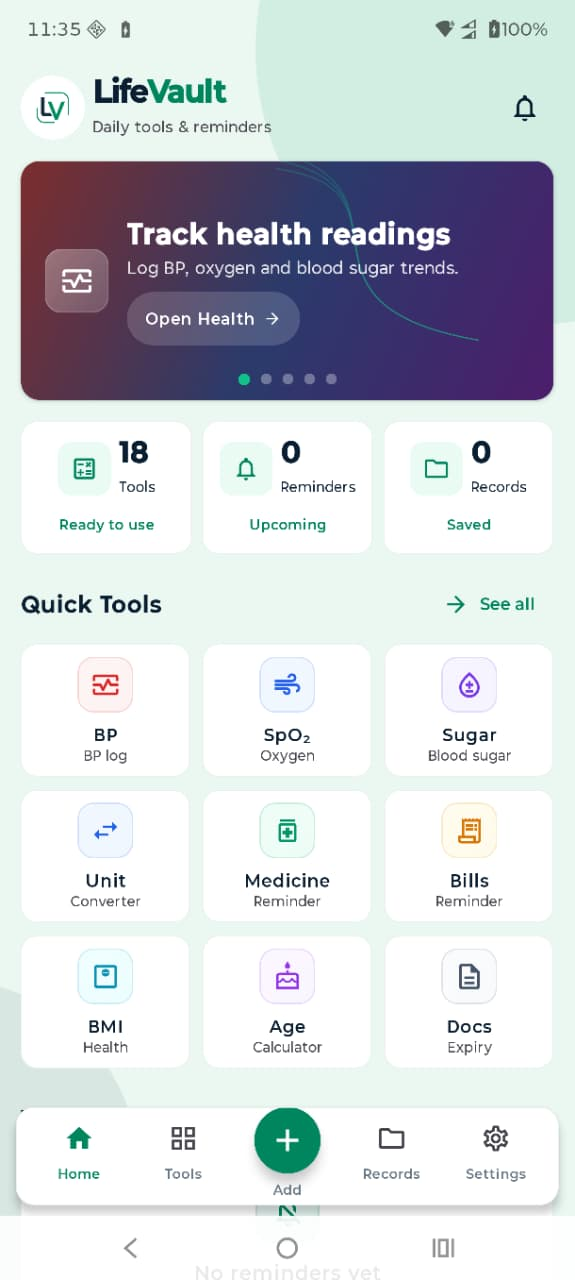
LifeVault is a personal productivity and tracking app developed by Apps Bean Technologies. Core app content such as reminders, records, calculations and health readings is designed to stay in app storage on your device unless you choose to share it.
On-device app content No sale of personal data User-controlled sharing
Important: This website policy must remain consistent with the production app, its third-party SDKs and the Google Play Data safety form.
2. Information you enter and app data
You may choose to enter information such as Blood Pressure, SpO₂, pulse, Blood Sugar readings, reminder titles, dates, times, notes, personal records and calculator inputs. This information is used to provide the feature you requested and is intended to remain in the app’s database on your device.
Information stored locally
- Health readings and the dates or contexts attached to them.
- Medicine, bill, document and custom reminder details.
- Personal records, notes and saved calculation history.
- App settings such as units, currency, date format, sound and vibration preferences.
Information LifeVault does not require for its core local tools
LifeVault does not require a user account, precise location, contacts, call logs or access to message content for the local tools described on this website.
3. Android permissions and system access
LifeVault may request only the permissions needed for features you choose to use. Permission availability and wording can vary by Android version and device manufacturer.
Notifications
Used to display scheduled reminder alerts and actions such as Stop or Snooze.
Alarm scheduling
Used when Android requires special access for reliable time-sensitive reminders.
Sound and vibration
Used to play the selected reminder tone and vibration pattern.
Temporary share files
Used to create a temporary image in app cache when you share a supported result.
Internet and network state
May be used for Google Play links, analytics and crash diagnostics when those services are enabled.
Foreground service
May be used while an active reminder is ringing so Android can keep the alert visible and controllable.
LifeVault does not use notification, alarm or sharing permissions to read unrelated personal information.
4. Analytics, crash reports and third-party services
LifeVault may use Firebase Analytics and Firebase Crashlytics to understand app reliability, screen usage, feature performance and technical failures. Depending on configuration and user settings, these services may process limited device and app information such as app version, device model, operating-system version, event names, diagnostic logs and crash stack traces.
LifeVault is designed not to include exact health readings, reminder text, record content or other user-entered private text in analytics event parameters or crash logs. Third-party processing is subject to the applicable provider terms and privacy practices.
Google Play may also process installation, update, payment or store-interaction data independently under Google’s policies.
5. Information sharing
LifeVault shares information only when you initiate a share action. For supported tools, the app may generate a result image and pass it to the Android share sheet. The SMS option may create a concise text message instead of an image.
- You choose the destination app or recipient.
- Temporary share images are stored in app cache and may be cleaned automatically.
- LifeVault does not read the contents of your SMS or messaging apps.
- Once shared, the receiving service handles the information under its own privacy terms.
LifeVault does not sell personal information or health records.
6. Data retention, deletion and security
Local information remains on your device until you delete an item, clear the relevant app data, clear all local data from Settings where available, or uninstall the app. Android backup behavior may depend on your device and operating-system settings.
LifeVault uses normal Android application storage boundaries and scoped file sharing to reduce unnecessary access. No mobile app or storage method can guarantee absolute security, so users should avoid entering information they do not need the app to store.
Diagnostic data retained by third-party services is governed by their configured retention controls and applicable terms.
7. Your choices and privacy rights
Depending on your location, privacy laws may provide rights related to access, correction, deletion, restriction, objection or portability. Because LifeVault’s core records are stored locally, you can usually exercise these choices directly inside the app by editing or deleting entries, clearing local data or uninstalling the app.
You can also manage Android permissions from system settings and disable analytics or crash reporting in LifeVault settings where those controls are available. For questions about diagnostic data or privacy requests, contact Apps Bean Technologies.
LifeVault is not intended to knowingly collect personal information from children through an account or cloud profile. Parents or guardians should supervise use where required by local law.
8. Health, calculation and reminder disclaimers
Health information
LifeVault is for personal tracking and organization only. It does not provide medical advice, diagnosis, monitoring, emergency response or treatment. General range labels can vary by person, age, pregnancy, medical condition, altitude, device accuracy and local clinical guidance. Always follow a qualified healthcare professional.
Calculations
BMI, age, unit conversion and any financial or estimate-based results are provided for general reference. Verify critical measurements and decisions using trusted official or professional sources.
Reminders
Alerts depend on notification permission, exact-alarm access where applicable, battery optimization, sound, vibration, device state and manufacturer behavior. Maintain independent backups for important deadlines or medication schedules.
9. Changes to this policy
We may revise this policy when app features, permissions, SDKs, legal requirements or data practices change. The updated date at the top of this page will identify the latest version.
 LifeVault